Showing posts with label technology. Show all posts

Sunday, June 12, 2016

Wrong artwork for podcast - does anyone know a fix?

Some of the podcasts show up in my iPhone with the wrong picture. For a long time I thought I did something wrong, but some internet research shows that many more people complain about media files that have the proper artwork in iTunes on the PC are synched on a device with the wrong artwork. I checked my iPad and the same problem occurs there.

Take for example this episode from the Talking History podcast as it shows in the player on my PC (screenshot on the left - correct) and on my iPhone and iPad with the artwork of a totally other podcast (screenshot to the right). As a matter of fact, when you look more closely, more than just the picture is messed up. It seems that more mp3 labels are not exactly in place.

Does anybody else have this problem? Did you manage to solve it? I would love to hear about it and many more with me as the internet is full of complaints about this but few suggestions to solutions.


Tuesday, February 1, 2011

Subscribe to iTunesU feeds as a podcast

Here is a hot tip for approaching iTunesU feeds in iTunes. Aside from the fact that iTunesU feeds, by all technical standards I can think of, are really podcasts and therefore that is where I'd rather have them grouped, this mode of operating also gives a solution to the problem of not being able to remove iTunesU files from iPod.

In short, my advice is to subscribe to iTunesU feeds as podcasts. In other words, take the url to the feed and subscribe to it as a podcast and NOT by simply choosing 'subscribe' when in iTunesU. The files will show up in your podcast list and not under the iTunesU category. In addition, as you copy them to your iPod, the files will be considered podcast files and as a consequence can be deleted whenever you wish (which is not so easy for iTunesU files, in case you have a 4th generation iPod or older).

If you know the URL to the iTunesU feed, choose in the iTunes Menu Advanced | Subscribe to podcast... and then paste the URL into the text field, followed by OK. That is all.

If you do not know the iTunesU feed URL, you can figure it out by temporarily subscribing through iTunesU. Interrupt the download and go to the course in your iTunesU collection. Right-click the course and choose Copy iTunesU URL. This will copy the URL to your clipboard so that you can delete the iTunesU course and continue to the iTunes Menu Advanced | Subscribe to podcast... and then paste into the text field, followed by OK.

Friday, December 17, 2010

Remove iTunesU files - revisited

It is hard to remove iTunesU files from iPod (nano and older - not from iPod touch). I have written about this last August and that is one the most frequented posts on this blog - Problem with iPod: remove iTunesU files. This post gives three methods to remove the files, each with their own limitations.
1- Recategorize (safe, but does not work for all)
2- Delete through file system (risky and complicated, but effective)
3- Reset (easy and safe, but with side-effects)

Here I want to tell you about a fourth method I have found. The fourth method is safe and effective, but as I will point out, has drawbacks of its own.

4. Synchronize iTunesU

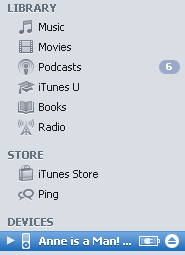
You can change the settings of your iPod to synchronize with iTunes on your computer. This can be done for Music and Podcasts as well as for iTunesU. Select your iPod in iTunes (as on the picture above) and click on the iTunesU label above the summary. Then select the checkbox to sync iTunes U and choose to synchronize all unplayed and all collections. As on the picture below.


What this setting will cause is for iTunes to automatically copy all unplayed iTunesU files from your computer onto your iPod and after you have played them, either on computer or iPod, automatically remove them from the iPod. In case you want to listen more than once, you can choose to sync All files from iTunesU and in that case, the files will only be removed from your iPod, after you delete them from your computer. In case your iTunesU section is very large, you may also want to not sync for all collections, but rather choose one or more among them.

So far so good - this indeed is a safe and effective way to get rid of redundant iTunesU files from your iPod. What are the drawbacks?

First of all, like me, you may want to prefer managing your iPod manually. You may not like all unplayed files to be on iPod and also, you may not want to immediately remove what has already been played.

A second, very weird phenomenon, is that iTunesU files will appear on the computer interface on the iTunesU item under iPod, that is, as a category like podcasts, yet when you handle the iPod independently, iTunesU acts as a playlist and not as a category like podcasts. This makes the files more difficult to find and one more click away than podcasts.

The best solution to the second phenomenon is the playlist, which is a feature I use anyway, because I like back to back listening. Copy your iTunesU files onto a playlist together with podcasts and other audio you like and create your own order there. One has to be warned though: you can only make playlists when your iPod is managed manually, so do not sync music and podcasts otherwise playlists are no longer available. Be aware also that this not stopping the first problem and therefore, the iTunesU files will be removed from the playlist as they are removed from iPod during synchronization.

The way around the first problem is to only use the sync iTunesU setting occasionally when you want to remove all iTunesU files and once that is done, revert back to manual.

UPDATE: Go to the BEST method I propose for dealing with this problem: Subscribe to iTunesU feeds as a podcast

Monday, August 30, 2010

Problem with iPod: remove iTunesU files

UPDATED with two more methods - see below (including the BEST method so far)
ADDITIONAL: In iTunes 11 the problem is resolved - How to delete iTunesU files from iPod
If you are using an iPod to listen to iTunesU content you must have already run into this problem. iPod does not handle iTunesU files very well. They are not handily organized and if you want to remove those files after use, you will have a very hard time doing so.

The problem started when iTunes no longer stuck iTunesU files in the podcast rubric and created an independent iTunesU folder for this category. It was forgotten to have an iTunesU folder on the iPod as well. As of that moment you would go look for your iTunesU files on the PC in the iTunesU folder and on your iPod in the Music folder. For playing this might be a bit bothersome, but not ultimately problematic, especially if you use playlist. However, for deleting files, you have to connect the iPod to the PC and use the PC interface to access the iPod. Here is the catch.

Since iPod has no iTunesU folder and iTunes on the PC does not take iTunesU files to be Music files, they simply are nowhere to be found. In case you have put the files on a playlist, they are seen there, but that is not where they sit. Or, in other words, if you delete the files from the playlist, they simply are no longer listed, but they still reside on the iPod. They take up space, but you can no longer find them. As a consequence, over time, your iPod will become clogged with redundant iTunesU files.

Until iTunes fixes this, there is no easy solution to the problem. But there are a few workarounds I have applied with success, although they all have their own drawbacks.

1. Recategorize to Music
Keep your iTunesU files on a playlist. Select them by right-click and choose 'Get Info'. This will open up a set of tabs which contain the definitions for the selected file (multi-selection is allowed). Go to the 'Options' tab and change the category from iTunesU to Music. Save the change and now the files show up in the Music folder in the PC interface. Now you can select and delete the files.

In case you have iTunesU files that are no longer on a playlist, you can use your iPod to stick them back there. Disconnect the iPod from the PC, find the files on iPod in Music and give them a long click with the wheel center. You will be offered to option to add the files to the 'On-The-Go'-list. Agree to put the files on that list and then connect to PC again. The 'On-The-Go'-list appears in the PC interface and from here you can select the files and change their category to Music.

Drawback:
- Some iTunesU files cannot have their category changed - they remain hidden and therefore cannot be deleted.
- iTunesU videos cannot be changed to music. They can be changed to Podcast or Video, but they still will not show up in the PC interface under these folders - they remain hidden and therefore cannot be deleted.

2. Use the file system to access iPod
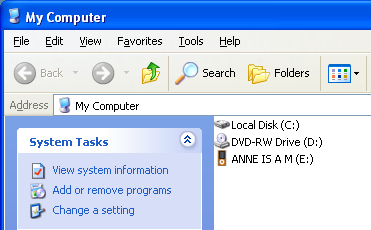
In stead of addressing the iPod through iTunes, connect the iPod to the PC and browse to it through the file system. Find the removable drive that is your iPod. It sits, for example under E: and then browse through to E:\iPod_Control\Music. Note that this is a hidden folder, so you will have to set your file browsing to show hidden folders. E:\iPod_Control\Music will have a number of subfolders, each containing music files with encrypted names. The trick is to read around the encryption and identify exactly which file is which and then delete the iTunesU files you want to.

Drawbacks:
- This is difficult. You have to know what you are doing and be able to identify the files. In addition, this is a long and bothersome process.
- Your iPod will soon afterwards require a 'soft' reset as its datafile system has gone mildly corrupted. You have deleted files without the interference of iTunes and so -I guess- some of the indexes have gone wrong. Only after the reset the clogged memory will have been released. There may be some data loss though - I had to redo the synching of my iPod with regards to pictures.
Bottom-line: do not do this unless you have to, you know what you are doing and you can handle the system hick-ups that follow.

3. Hard reset
Restore your iPod to factory settings.

Drawback:
- Not only do you lose your iTunesU files, you lose all the others as well
- You also lose customized settings to the iPod
Bottom-line: this method is clean and effective, but it takes some work afterwards in order to shape your iPod menus and settings back to where you like them and put back all the files you want on the pod.

Do any of you know other ways to tackle this problem? Please let us know.

For me, the conclusion is clear this is a major flaw in iTunes. I have seen quite a number of complaints about this in the Apple user forums, but the developers have yet to respond. So I guess it may take some time for an iTunes update that will solve it. Until then: use iTunesU as little as possible; try to subscribe to its content as Podcast if you can. If not, carefully apply the above methods. Good luck.

UPDATE:
I have now learned of a 4th method: synchronizing iTunesU
Here is the 5th method (the best one in my opinion): Subscribe to iTunesU feeds as Podcast

Wednesday, May 12, 2010

Deep wreck diving - Omega Tau Podcast

The bi-lingual science and technology podcast Omega Tau made by Markus Völter and Nora Ludewig consists of excellent interviews with guests about their field of specialty. Depending on the guest's language, the podcast is done in either English or German. It is possible to subscribe to the entire podcast: Omega Tau podcast feed, but also to connect to feeds in either of the languages: Omega Tau in English and Omega Tau in German.

The latest show was in English and consisted of an interview with John Chatterton on deep wreck diving. Chatterton is a professional diver who has made a name with diving to shipwrecks at great depth. Markus Völter interviews him and discusses the intricacies of this trade. The result is an absolutely riveting expose about the extremely risky affair of diving really deep waters and entering the remains of vessels that have been lying there for ages. It is not only a talk of the technologies involved, the stringent safety measures, but also the mental resilience that is required.

Most of the conversation is about deep wreck diving in general, but there is ample mention of one of Chatterton's major achievements: the discovery in 1991 of the U-869 which was a German U-boat that went down before the coast of New Jersey in WW2. Chatterton wrote a book about this (Shadow Divers) which Markus read and made him invite Chatterton to the show. Well, he did not actually read it, but listened to it as an audio-book and on the show he reveals how you can acquire the audio-book, which he very much recommends - needless to say.

More Omega Tau:
Omega Tau - bilingual science podcast.

Friday, September 4, 2009

Dogear Nation

Are you aware of the kind of hole you are opening up, when you can be found on Facebook? I have noticed many people are aware of that, but to what extend is this real?

A technical podcast I ran into, because of reader comments, gave an answer. The 118th episode of Dogear Nation, paid attention to this subject (Social Privacy). According to their sources, employers use the information you put on Facebook to make their impression when you apply for a job. Among the information they manage to pull from Facebook, are the answers you gave at the popular quizzes there. The 'what kind of character in Star Trek' kind. These quizzes are applications embedded in Facebook and the default security settings give a very free hand to extract information to anybody.

Dogear nation is a technical podcast consisting of a dialog between two or three presenters, who do this very well. The subjects they choose are actually listener-directed. Anybody who is on Delicious, and tags any content on the web with Dogear-Nation draws their attention. For making the show, they take into account what has been tagged and they choose a representable extract from this content. The issues therefore are always in the same realm: issues of software and technology. The audience serves itself. It is a method of making a podcast, many others could consider.

Thursday, September 3, 2009

UC Berkeley webcasts Fall 2009

The University of California Berkeley, has always been the prominent supplier of lecture podcasts. Today when many more institutions deliver their academic content to the wider pod-public, Berkeley is still on the forefront. Berkeley is also on iTunesU, but still maintains the straighforward Berkeley Webcast site where each semester the courses are listed together and can easily be accessed. The Fall of 2009 is going to allow us to choose from yet another forty-plus courses from all disciplines.

Here are ten of those courses that I am going to give at least some attention the coming months.

American Studies 101AC: Examining U.S. Cultures in Time (audio feed) (video feed)
This one is new for me and I have not yet managed to listen in. I did see there is a problem with the first lectures though. Attempts are being made to repair.

East Asian Languages and Cultures (audio feed)
Dynamics of Romantic core values in East Asian premodern literature. I do not know what to expect yet. Going to try.

Environmental Economics and Policy (audio feed)
I am looking forward to this one. I have not tried it yet, but I have been giving a lot of attention on the blog lately to issues around Climate Change. I think the upcoming Blog Action Day, may also have this subject. I'd like to get some academic input.

History 162A: Europe and the World: Wars, Empires, Nations 1648-1914 (audio feed)
David Wetzel turns out to be a lecturer I will have to get used to. After hearing the first lecture I can give you the good news and the bad news. The good news is that the course will be very insightful - no doubt. The bad news is that Wetzel has this strange way of speaking and resorts to continuous repetitions to make his point, up to simply repeating words one after the other. "The first point to make; one, one, one..." This is quirky and hopefully not too bothersome.
I have always liked the history courses at Berkeley, so I am going to sit this one through no matter what.

Philosophy 135: Theory of Meaning (audio feed) (video feed)
Philosophy has so far been the most challenging subject on podcast lecture series. But I am not giving in. Besides: why is there video for this course? Enhancing visuals? Need to find out.

Philosophy 138: Philosophy of Society (feed)
More philosophy. I want to find out what we get here? Plato's Republic? The various theories about the state, constitution and political liberties? The strand Machiavelli, Hobbes, Mill, Rousseau? Or will it be more sociological and are Marx, Weber and such added? Or else?

Introductory Topics in Religious Studies (audio feed)
You can always catch my attention with an academic approach to religion. Yet, I have no idea what to expect here.

Political Science 179 (feed)
I have done this one before. It is a very accessible and at times entertaining introduction to political science.

Foundations of American Cyber-Culture ( audio feed) (video feed)
I have picked up several of the lectures in this course in the past when it was taught by another professor. It sure escapes me why this is under the rubric 'Practice of Art', but it certainly did give some insight in the current life in cyberspace - which is relevant to bloggers, podcasters and their followers by all means.

And the one you must not miss:
Letters and Science also known as Physics For Future Presidents (audio feed) (video feed)
This is one of Berkeley's classics and a recommendation for literally everybody. Richard Muller teaches you everything you ever needed to know about physics, but where afraid to ask because of the math. No math is needed. Yes there are numbers, but these are few and important numbers. Hardly any equations or formulas. Yet, you will come out of this course understanding a lot more about physics. It will allow you to have an informed opinion about important politics and feel comfortable about the technological and scientific stuff involved. Below is an interview with Professor Muller.

Tuesday, June 23, 2009

Iran news evaluation - Pods and Blogs

Among all the one-liners on Twitter and the videos on YouTube - how do you weed out the real news from Iran and decide what is reliable and newsworthy and what is not? BBC's Pods and Blogs is the podcast to tackle this question. (feed)

Pods and Blogs is the program about the forefront of modern media. Channels like Twitter and YouTube have proved before that they are the fastest deliverers of news on great confusions such as the Mumbai attacks and the earthquake in China. Especially what facts the authorities try to steer the public away from, can be found on Twitter, blogs, YouTube and Web2.0 on the whole. Pods and Blogs has been reporting on that forever. Now for the selection of news.

Pods and Blogs's Jamilah interviews on-line editors about their methods to select from the unorganized multitude of sources on the web. What struck me was the way a contact is established. Not the first item is taken from one source, but rather a typical social web connection is built and on the basis of developed trust, the material is taken seriously. A bottom-line for Iran appears to be that the uprising is not against the regime, but more so against the style of authority. The protests are against the lies, the repression, the state control, not necessarily against policies.

More Pods and Blogs:
Pods and Blogs podcast review.

Thursday, April 2, 2009

Good climate for everyone - UChannel on global warming

I had never thought there would be something like climate engineering until I heard a podcast from UChannel Podcast. Daniel Schrag of the Department of Earth and Planetary Sciences at Harvard University was invited to speak about this subject at Princeton University, the home ground of UChannel Podcast. Climate engineering is what the word suggests: technological interference with the earth's climate and this is neither science fiction nor a list of possible measures that are all too expensive to contemplate.

There is little talk of what can be done, because, naturally the talk focuses on the ethics of the subject. If we can, should we be allowed. Or as Schrag has it, if we can and the dangers of global warming are as great as we can possibly fear, then maybe we must. But Schrag is no ethicist, he is a geologist, so he is most at ease and informative when dealing with the relevant facts. A bit of what can be done and a whole lot of what range of challenges and dangers are involved with global warming and the science of predicting its effects.

The magnitude of the subject is overwhelming and I must admit, I have an intuitive reaction against climate engineering. I think, messing with the environment got us in the bad shape we are in, do we need more messing. Promising a Mediterranean climate for everyone sounds worse than too good to be true, it sounds like the words of the sorcerer's apprentice. Schrag pays attention to these intuitions and replies to them. His tendency, as stated above: the situation is so bad, we have no choice. It is like applying a tourniquet to prevent us from bleeding to death. Indeed, you wouldn't apply a tourniquet to a healthy person. Question remains: do we really know how sick we are?

More UChannel Podcast:
Robots and War,
Sudan and the fallacy of nationhood,
Against intervention,
Lakhdar Brahimi on Afghanistan and Iraq,
Europe versus Islam.

Do you like the blog Anne is a Man? You can show your appreciation by participating in the Anne is a Man - support the blog campaign. You only have to click the link as a means of saying: 'I like what you do, keep doing it.' Over 30 people have already done this before you.

AddThis Social Bookmark Button

Thursday, November 27, 2008

Chris Brogan - Meetings Podcast review

Spending a lot of mental energy on maintaining a blog and evaluating podcasts, draws my attention frequently towards technology in general and the rise of new media (social or not) in particular. I have not written a lot about it, because it is usually not relevant for the content of this blog. However, both my day-job and the maintenance of this blog make me very involved in the modern media and have me keep an eye on what's happening and what's hot.

A recurring name is Chris Brogan, who is a leading thinker and speaker in the world of social media and its application for business. Therefore, when he was interviewed on a podcast, I naturally tuned in and listened. He was on the Meetings Podcast, which is a business podcast that operates in the meetings and business events industry. (Meetings Podcast with Chris Brogan)

The hosts of the program and Chris Brogan are well acquainted to each other and that results in a very friendly atmosphere nearly closing out the listener. I had a feeling that maybe I missed out on a couple of inside jokes. Other than that, this was, in my opinion, a very typical business podcast: no very deep thoughts and theories but a lot of one-liners and indicative statements of what might be the trend.

See also:
Anne is a Man among Chris Brogan's 'Rockstars'

AddThis Social Bookmark Button

Thursday, November 6, 2008

BBC: pods and blogs - podcast review and source

Pods & Blogs is a short weekly podcast from BBC's radio 5. As with other BBC podcasts (such as In Our Time), this week's edition is available for download in the feed, the previous ones were removed already. The 24 minute program talks of notable blogs, podcasts and the on-line reality of today.

Although it is hard to fit Pods & Blogs in with the podcast categories I have devised and is carrying a different content than most of my regular podcasts, I have come to like it a lot and find it to be a great source of information. It sure helps to be in touch with the digital world at large, hear of other bloggers and podcasters (there are most of the time interviews with interesting bloggers and podcasters on this show), but most of all, I present it here as another source for finding new podcasts.

By all means, this is a light program. The tone of voice is easy-going and friendly bordering to the ironically humoristic. Also, the length of the show, 24 minutes (give or take 30 seconds) and a regular schedule (every week promptly), make it easy to pick up on, tune in and take away what you like. Whether it is about a Cameroonian who discovered podcast, the effect of the bloggosphere on the American elections and the latest fads on YouTube and Twitter.

More BBC:
In Our Time,
From Our Own Correspondent,
BBC History Magazine.

AddThis Social Bookmark Button

Tuesday, March 4, 2008

Podcast reviews; I am not alone

Persistent searches on the net keep giving me the idea that a blog on podcast reviews is a rare creature. I have run into a handful of blogs that either do the occasional review, or have been concentrated on podcast reviews but were abandoned with little content accumulated. What has sprung up rather recently are two podcasts that review podcasts. As podcasts go they have their websites and as such can be viewed also as blogs. Kindred spirits.

That Podcast Show started this December and has released thirteen episodes by now. The show is presented by Daniel and Jana Sellers from the US and tends to give three reviews per show. The podcasts are chosen throughout the spectrum of what is out there. The hosts discuss their impressions and ideas each in their own style creating a very personal atmosphere; Daniel is relaxed and laid back as opposed to Jana who seems to be with her eyes on the ball all the time. It makes you feel being informed by your peers. Eventually the review is allotted a rating in a five star system. Even though this is one rating all aspects of a podcast are discussed: is it informative, entertaining, of good audio quality and such.

A more recent starter is Podwatch by host 'Tom' from Australia. Tom evaluates the podcasts on entertainment value, quality of content, production quality, rates those each on a scale of 10 and then concludes with an overall rating on the same scale. His reviews are intelligent and detailed and in addition to the reviews he also talks of technology and other subjects. His choice of podcasts to review seems to be poised also towards science and technology, but there are also some podcasts of other tastes. He has accomplished five shows by now resulting in some 10 podcast reviews.

I am very glad to have found these colleagues in cyberspace. I recommend checking them out, either in the blogs (all reviews appear in writing as well) or on podcast. So far you cannot compare us as none of us has reviewed a show another has touched. The pond is large and the fishermen are still very few.


AddThis Social Bookmark Button

Wednesday, January 9, 2008

How to optimally record a Skype conversation

Podcast listeners like myself will witness many podcasters struggle with audio that represents a conversation conducted over the phone. As far as content is concerned, these sections give some of the greatest input, but the audio quality can seriously ruin the product. At the same time I know of several podcasts (for example The Word Nerds and the Skeptics' Guide to the Universe) that manage tremendously well. Most podcasters use Skype, but among those, quality still varies.

Recently I came across the below presentation from on the Conversations Network, that seems to offer a very complete and effective guide to make the recording succeed as best as it can. So here is the show...


For more info and discussion, visit The Conversations Network’s forums.

AddThis Social Bookmark Button

Wednesday, November 28, 2007

Searching podcasts

What you'd really need on the quest for podcasts would be a search engine, such as the known search engines on the web, that can take your keyword and look for it inside audio and video. MIT is developing such an engine and calls it the Lecture Browser.
The Lecture Browser is a web interface to video recordings of lectures and seminars that have been indexed using automatic speech recognition technology. You can search for topics, much like a regular web search engine.


Follow the link to the Lecture Browser and you can experience this search adapted onto the lectures of MIT. I suppose from here it will not take too long and in your search engine, in addition to text search and image search, you will have audio search.

As a side note on image search: for now, the search is with keywords in the text that accompany the pictures, but technology is also being developed to recognize text inside the picture (either captions or captured text) and include that in the search.